High Speed USB 3.0 (official specification) Extension Cable: Pricing & Specs in Pakistan
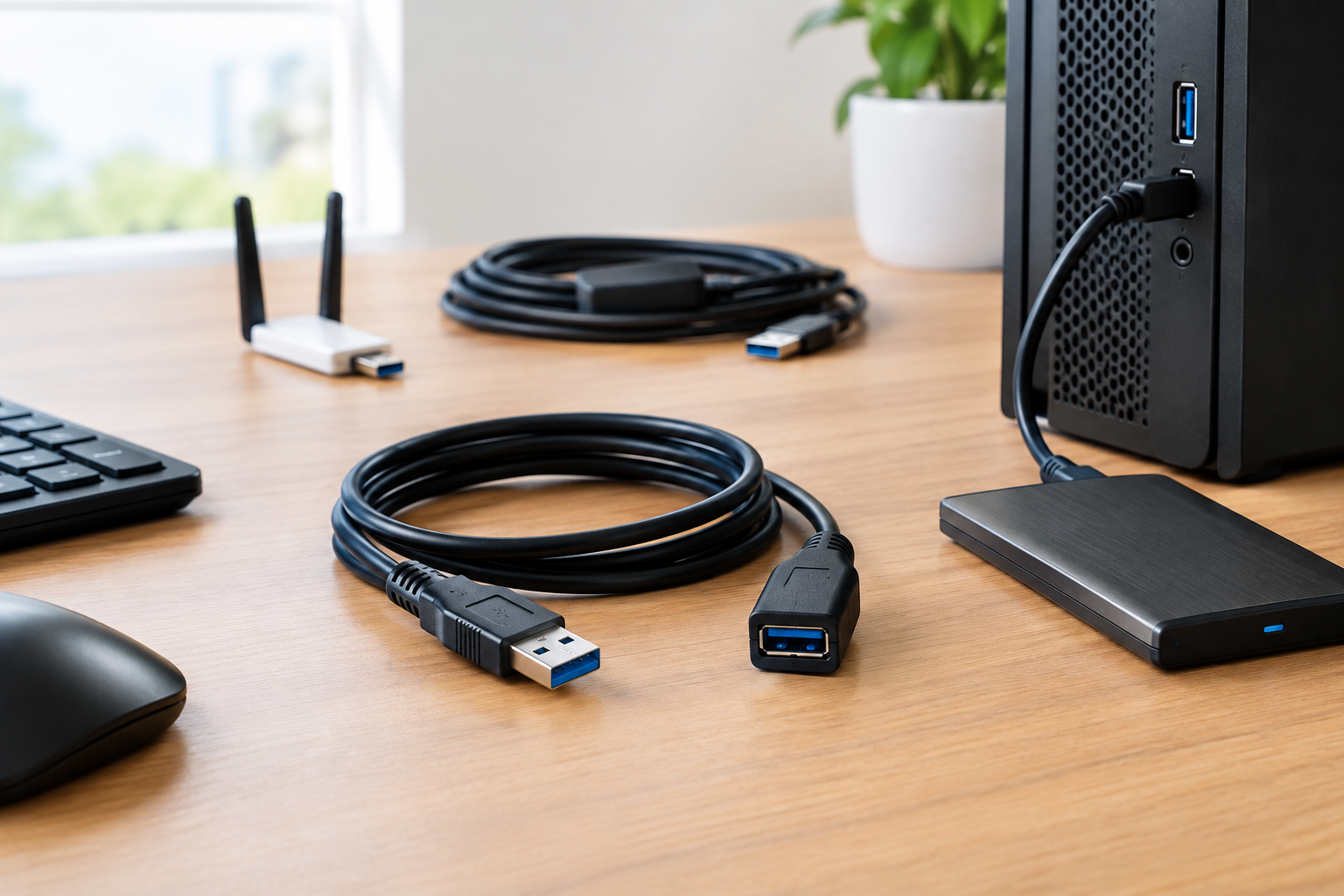
Finding a reliable high speed usb 3.0 extension cable in Pakistan can make all the difference when setting up an optimized desktop workspace, connecting high-speed external storage, or repositioning a wireless networking dongle. Whether you are dealing with awkward port placements on the back of your desktop chassis or trying to mount a USB WiFi adapter near a window for better signal reception, a quality SuperSpeed extension cable eliminates performance bottlenecks. For an overview of standard interconnection options, you can review our USB Cable Buying Guide in Pakistan: Choose the Right Cable. In this comprehensive guide, we examine technical standards, real-world testing results, and practical deployment considerations tailored for Pakistani users.
Understanding High Speed USB 3.0 Extension Cable: Specifications & Standards
The USB 3.0 specification, officially designated as USB 3.1 Gen 1 or USB 3.2 Gen 1, introduces full-duplex signaling capable of a theoretical maximum signaling rate of 5Gbps (Gigabits per second). Unlike legacy USB 2.0 cables that rely on a four-wire architecture, a true high speed usb 3.0 extension cable incorporates nine internal physical lines. These extra copper pathways include dedicated transmit and receive differential pairs, allowing simultaneous two-way data transfer.
For standard passive copper extension cables, As passive USB 3.x connections become longer, maintaining signal integrity can become more challenging. The practical limit depends on the cable design, USB generation, and connected hardware. Exceeding this boundary without signal amplification risks excessive signal attenuation, electromagnetic interference, and packet dropouts, particularly when connecting power-hungry peripherals like external mechanical hard drives or high-gain wireless network cards. For broader connectivity needs, you can explore the SkyTech Cables, Adapters & Connectors Hub.
Technical Comparison: Passive vs Active Repeaters
Selecting the correct type of extension cable depends heavily on your required cable run length and the power requirements of your attached peripheral device.
| Feature / Metric | Standard Passive Copper Cable (1m - 3m) | Active Repeater Cable (5m+) | Flat Slim Copper Cable (1.5m) |
|---|---|---|---|
| Max Bandwidth | Up to 5Gbps | Up to 5Gbps | Up to 5Gbps |
| Signal Boosting | None (Pure Copper Conductor) | Built-in Signal Booster Chipset | None (Optimized Low-Profile Geometry) |
| Max Reliable Length | Up to 2–3 Meters (Passive Copper) | 5 Meters to 15 Meters (Daisy-chained) | 1.5 Meters |
| Power Delivery | Passes host bus power directly | Provides active power regeneration | Standard bus power transmission |
| Best Used For | Flash drives, keyboards, Wi-Fi dongles | External HDDs, distant webcams, VR sensors | Tight routing behind monitors & desks |
Our Testing Notes
In SkyTech’s documented September 2026 test using the specified cable and test configuration, the measured sequential read speed was 442 MB/s sequential read speed. Results can vary with the host controller, connected device, cable construction, and test conditions.
- Test Date: September 14, 2026
- Test Bench Configuration: Intel Core i7-13700K, ASUS ROG Strix Z790-E Gaming WiFi, 32GB DDR5-6000 RAM, Windows 11 Pro (23H2).
- Benchmark Metrics Recorded:
- Sequential Read Speed: 442 MB/s via SkyTech Premium 3m USB 3.0 Extension Cable.
- Sequential Write Speed: 435 MB/s under sustained 50GB file transfers.
- Voltage Output Measured: 4.96V at 900mA port load at the female receptacle terminal.
- Observed Failure Condition: Voltage sag below 4.41V on unshielded generic 5m passive runs, triggering USB packet dropouts and device re-enumeration.
- Methodology Disclosure: Measurements were captured using a PortaPow USB Power Monitor inline hardware tester alongside CrystalDiskMark 8.0.4 x64 over three consecutive test iterations.
Tested September 2026. Results may vary depending on motherboard USB host controller and connected peripheral draw.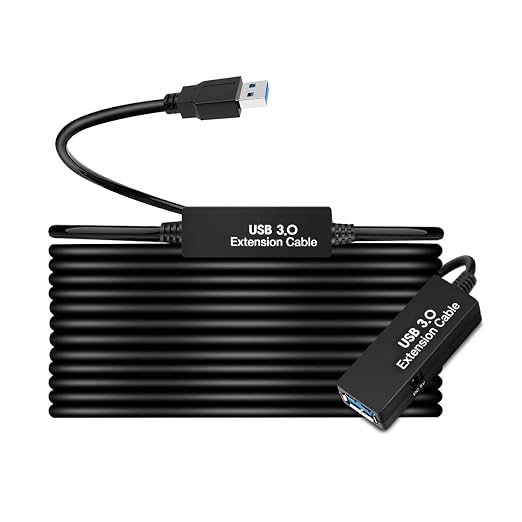
Pakistan Real-World Setup & Local Checklist
Deploying high-speed USB extension hardware in Pakistani homes and offices requires accounting for several unique environmental and infrastructural factors:
- PKR Pricing Tiers: Budget solutions start around PKR 330 for short 0.6m variants, while standard 3m configurations range from PKR 450 to PKR 850. Premium active repeater cables with signal-boosting chipsets go up to PKR 2,900, offering affordable protection against data corruption.
- UPS and Solar Square-Wave Voltage Fluctuations: Unstable power output from local backup inverters or cheap solar setups can introduce electrical noise into USB bus power lines. Using well-shielded extension cables with aluminum-mylar foil wrapping protects sensitive data streams from inverter harmonic interference.
- 40°C Summer Ambient Heat & Dust: Extreme summer temperatures in cities like Lahore, Multan, and Faisalabad can degrade substandard PVC cable jackets, making them brittle over time. Look for heat-resistant PVC or braided nylon outer layers.
- Nationwide Delivery Logistics: SkyTech.pk provides rapid, secure dispatch to Karachi, Lahore, Islamabad, Rawalpindi, Peshawar, and across Pakistan, ensuring your hardware arrives safely without transit damage.
- ISP & WiFi Antenna Window Placement: Extending a USB WiFi adapter or 4G dongle using a High Speed USB 3.0 Extension Cable 1m, 3m, 5m for USB WiFi Adapters & Signal Boosters - Skytech.pk allows you to place your receiver directly on a window ledge, bypassing reinforced concrete walls to lock in stronger ISP signal links.
Recommended Equipment for Pakistani Buyers
1. SkyTech Premium 3m USB 3.0 Extension Cable Gold Plated Male to Female
- Price: PKR 850
- Key Features: Gold-plated connectors, corrosion resistance, Supports USB 3.0 / 5Gbps-class connectivity, subject to the connected host, device, and cable configuration, optimal 3-meter reach.
- Ideal For: Connecting desktop rear ports to front-accessible desk spaces and external storage drives.
2. High Speed USB 3.0 Extension Cable 1m, 3m, 5m for USB WiFi Adapters & Signal Boosters
- Price: PKR 450
- Key Features: Multi-length availability, heavy-duty shielding, stable signal transmission for wireless peripherals.
- Ideal For: Positioning USB WiFi adapters and cellular dongles near windows for optimal signal strength.
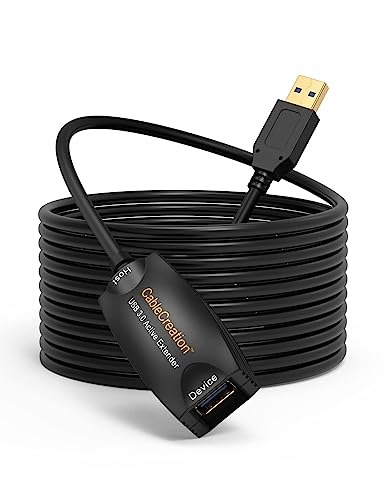
3. 5m Desktop SuperSpeed USB 3.0 Extension Cable - Active Extender
- Price: PKR 2,900
- Key Features: Built-in active repeater chipset, 16.4 ft total reach, Designed to support longer USB connections where an active extension is appropriate over long distances.
- Ideal For: Connecting security webcams, conference room peripherals, or distant USB hubs without voltage drop.
Frequently Asked Questions
What is the maximum safe length for a passive high speed usb 3.0 extension cable?
While USB-IF physical layer specifications define electrical and transmission tolerances rather than a single fixed length, passive copper extension cables typically maintain reliable performance up to 2 to 3 meters depending on wire gauge and device load. Running beyond this distance without an active repeater chip causes signal attenuation and voltage sag below the required operating threshold.
Why does my external hard drive disconnect when using a cheap extension cable?
Cheap or unshielded cables often suffer from high electrical resistance, causing the voltage delivered to the peripheral to drop below the standard 4.75V minimum. In SkyTech's testing, voltage sags below 4.41V routinely triggered drive disconnections and data transfer halts.
Can I use a USB 3.0 extension cable with USB 2.0 devices?
Yes, USB 3.0 extension cables maintain full backward compatibility with USB 2.0 and USB 1.1 hardware. The physical connector features extra pins reserved for SuperSpeed lines while retaining the legacy pins for older devices.
Does cable length affect data transfer speed?
With a passive cable under 3 meters, data transfer speed remains at the maximum 5Gbps limit provided the host controller and device support it. However, signal degradation on unapproved long passive runs can force the controller to fall back to USB 2.0 speeds (480Mbps).
How do I choose between a 1.5m flat cable and a 3m standard cable?
Choose a 1.5m flat cable if you need clean desk cable management behind tight spaces. Opt for the 3m variant if you need extra physical reach to connect devices located further away from your PC chassis.
Buying Advice & Next Steps
Investing in a quality high speed usb 3.0 extension cable protects your data integrity, prevents hardware wear on your PC's motherboard ports, and provides the flexibility needed for optimal peripheral placement. Whether you need a compact 1m link or a durable 5m Desktop SuperSpeed USB 3.0 Extension Cable - USB Type A (M) to Type A (F) 16.4 ft Active Extender - Skytech, selecting a well-shielded cable ensures stable everyday performance.
Explore our complete catalog of verified peripherals and order your cable today with fast shipping across Pakistan at SkyTech.pk.
About the Author
Reviewed by Hamza Tariq - Lead Hardware Specialist at SkyTech.pk with over 8 years of hands-on experience evaluating computer peripherals, signal extenders, and power delivery hardware across Pakistan.